
The teacher override feature is now here! 🎉 This tool will allow you to change Mojo’s question bucketing in cases where Mojo is missing nuance when evaluating a student’s answer. While we don’t anticipate you needing to use this tool frequently, it does shift the power back to teachers if they don’t agree with Mojo’s evaluation, and it gives our team helpful data on where we can continue to make prompt refinements.
🆕 What’s new
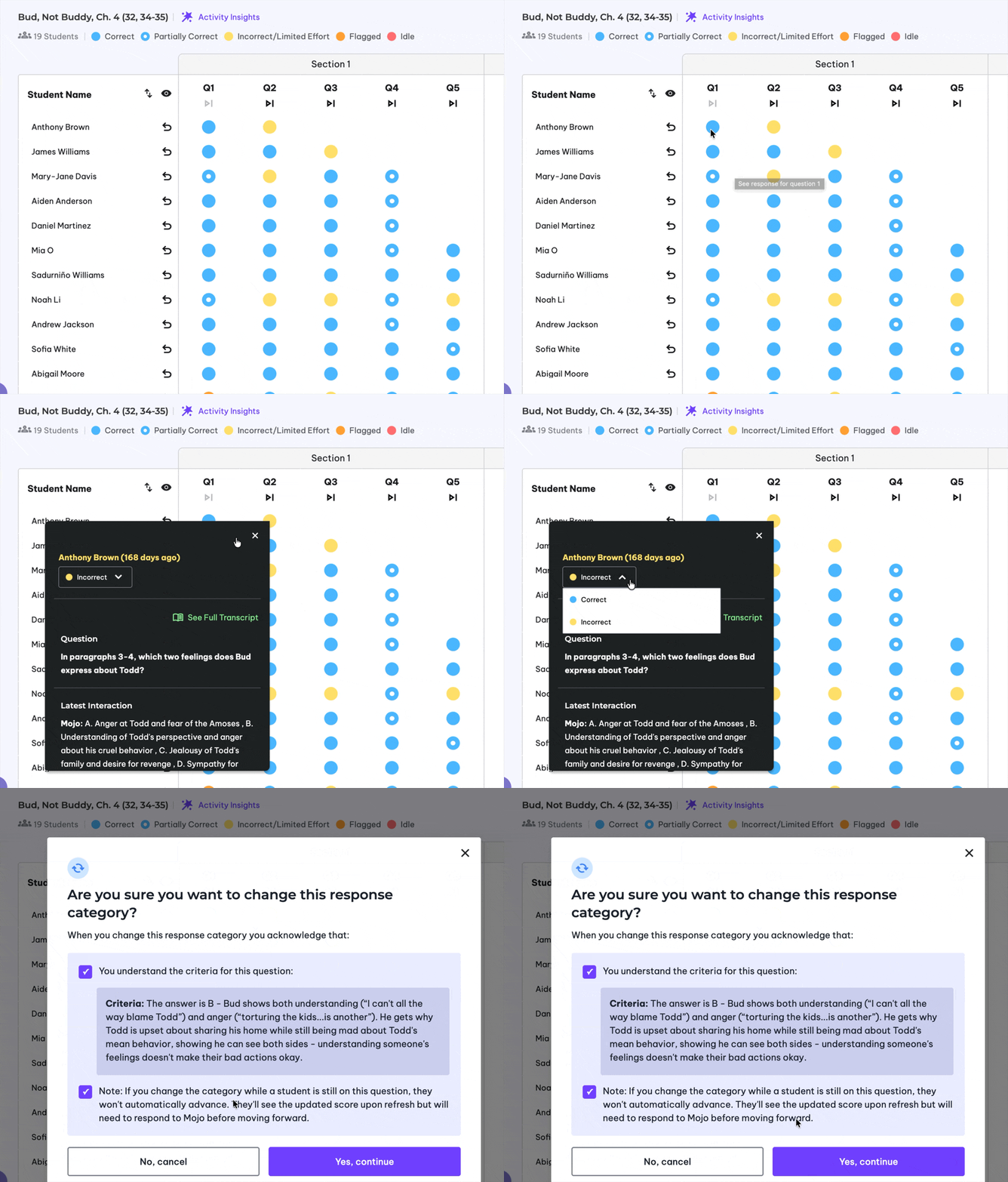
With Teacher Score/Bucket Override, you can adjust scoring in two places:
- Teacher Activity Dashboard
- Student Transcript view
This makes it easy to update scoring wherever you’re already reviewing student work.
🔍 Designed for clarity
When you make an override, you’ll see helpful context to support the change, including:
- The criteria for the question
- A reminder that an override will change a student’s score
- A reminder that the student will still need to go through all remaining attempts for that question if you override while they are working
These guardrails keep scoring edits transparent and intentional.
✏️ What students will experience
If a student is still actively working on a question and you override their score:
- The student will not automatically advance
- They’ll see the updated bucket/score upon refreshing their page
- They’ll still need to get through all remaining attempts and get the appropriate feedback before moving forward to the next question – but your override will be the cumulative bucket for that question (visible in both your dashboard and the student progress bar upon refresh)
❓Questions?
Email help@coursemojo.com or click the “Feedback” button on your Mojo sidebar.